Wonderland Scratch: A Handwritten Font That Elevates Small Business Branding
Refreshing a Café Menu with a Touch of Charm
Last week, I helped a local café owner redesign their weekend brunch menu. The goal was to make it feel more inviting and personal without sacrificing professionalism. We chose Wonderland Scratch for the menu headers and special dish descriptions. This handwritten font brought a playful, approachable energy that matched the café’s cozy atmosphere perfectly.
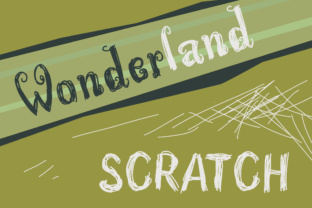
Wonderland Scratch is a script font with a soft, carefree style. It mimics natural handwriting, giving off a warm, homemade feel. Unlike overly decorative fonts that can feel chaotic, Wonderland Scratch maintains clarity and structure, making it ideal for small business owners who want to look polished without appearing too formal.
Why Typography Matters for Small Brands
Typography is often overlooked in small business branding, but it plays a key role in shaping customer perception. Fonts affect how quickly people read your content, how they feel about your brand, and whether they remember you. A well-chosen typeface like Wonderland Scratch can help your brand feel more trustworthy and memorable — especially when used consistently across packaging, social media, and printed materials.
Wonderland Scratch works best as a display font — perfect for headlines, product names, and short phrases. It’s not ideal for long paragraphs, but that’s true of most script fonts. What matters is using it where it shines: on packaging, labels, greeting cards, or social media graphics that need a personal touch.
Real-World Uses for Wonderland Scratch
I’ve tested Wonderland Scratch across a variety of small business materials, and here’s how it performed:
- Product labels – A skincare brand used it for ingredient highlights on their moisturizer jars. It added a soft, natural feel that matched their clean aesthetic.
- Thank-you cards – For a boutique owner, it gave handwritten notes a more intentional, professional look without losing warmth.
- Instagram templates – When paired with a clean sans serif font, Wonderland Scratch made promotional posts feel more personal and engaging.
- Menu design – As mentioned earlier, it helped a café stand out with a custom, handcrafted look.
It’s also great for logo design if your brand leans toward the playful, artisanal, or boutique side. Think handmade soap shops, local bakeries, or indie gift stores — businesses that want to feel both creative and professional.
Readability and Responsiveness Across Media
One thing to keep in mind when using Wonderland Scratch is readability. Since it’s a handwritten font, it works best at larger sizes. For small product tags or mobile screens, use it sparingly and always test how it appears on different devices.
For printed packaging, make sure the font is legible when scaled down. I recommend using it for titles or brand names rather than long descriptions. If you're designing for digital use — like an online shop banner or social media graphic — Wonderland Scratch adds a charming, human touch that stands out in crowded feeds.
Font Pairing and Design Tips
Pairing Wonderland Scratch with other fonts is where the magic happens. Here are a few combinations that work well:
- With a clean sans serif – Great for balancing charm with modernity. Use Wonderland Scratch for headings and a simple font like Montserrat or Open Sans for body text.
- With a classic serif – Adds a touch of elegance. Try it with Georgia or Playfair Display for a vintage-inspired look.
- With another script font – Only do this if you’re creating a layered design with different weights and styles to avoid visual clutter.
Also, check the font’s included styles and features. Wonderland Scratch comes with alternates and ligatures, which add variety and help avoid repetition in logos or short phrases. Make sure it supports the languages you need, and always verify the licensing for commercial use — especially if you're selling merchandise, using it in templates, or offering client work.